You downloaded Unreal Engine, opened it, and closed it again. Somewhere between the project templates, the viewport, and the Blueprint graph, it stopped feeling like making a game and started feeling like a second job.
That reaction is not a skill problem. It is a mismatch between what Unreal is for and what you were trying to do.
Why Unreal feels heavy
Unreal is a production tool for high-fidelity 3D games. Its defaults assume a team, a timeline, and a target platform. Before anything of yours moves on screen, it asks you to hold several things at once:
- A large install and a machine that can drive the editor comfortably
- A project structure, and a decision about which template you are starting from
- Blueprints as a visual scripting system, or C++ if you go that way
- An asset pipeline: importing, materials, and how things get into the world
- Lighting, building, and the wait that comes with them
- Packaging, when you eventually want someone else to play it
Every one of those is a reasonable thing for the tool to ask. They are the cost of the ceiling it gives you. But if what you wanted was to find out whether your game idea is fun, you are paying that cost before you learn anything.
When Unreal is the right answer
To be clear about where this stops being a fair comparison: if you want photorealistic 3D, shipping to consoles or PC storefronts, precise control over rendering and performance, a project you will work on for a year, or the specific career skill of knowing Unreal, then Unreal is correct and nothing here replaces it. It is one of the best pieces of software in the industry and it earns its complexity.
The question worth asking is simply whether that is the thing you are doing right now.
What you probably actually want
Most people who bounce off an engine were not trying to become engine developers. They had an idea, wanted it to exist, and wanted somebody to play it. That is a much smaller ask, and it has a much shorter path.
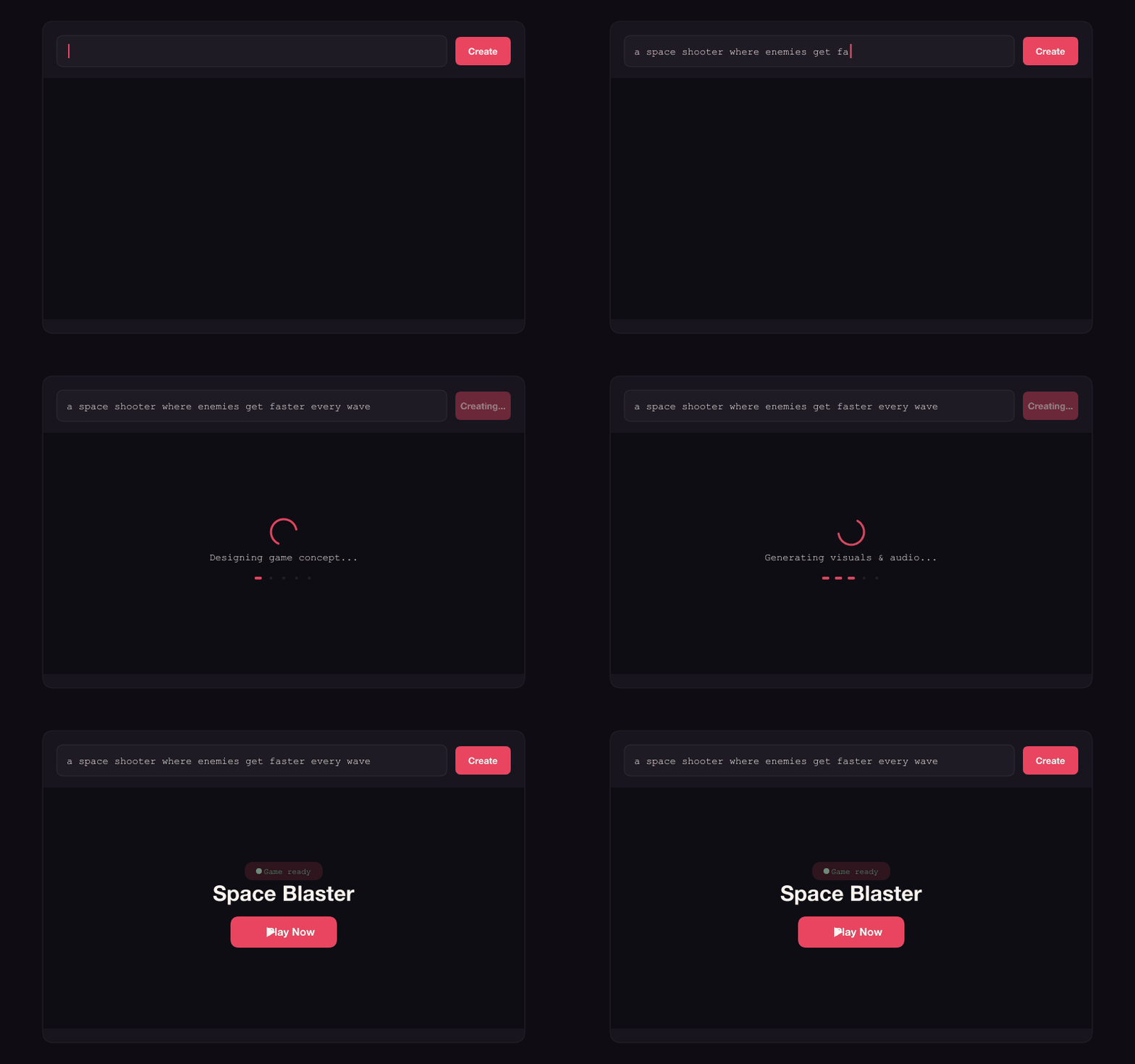
The short path looks like this: describe the game, play what comes back, change the parts that feel wrong, and send the link to someone. No install, no project setup, no build step.
What you give up, honestly
This trade is real, and it is worth naming before you make it.
| Prompt-first (Instaplay) | Unreal Engine | |
|---|---|---|
| Visual ceiling | Browser-scale 2D and 3D | Photorealistic, industry-leading |
| Where it ships | A browser link | PC, console, mobile, VR |
| Scale | Short sessions, up to 4 players | Large worlds, large player counts |
| Control | You describe intent, and can edit the source | Total, down to the render pipeline |
| Time to playable | Minutes | Weeks, realistically |
| Learning curve | Type a sentence | Months to become productive |
If the row that matters most to you is visual ceiling or shipping to console, close this tab and go back to Unreal. That is the right call and this article is not for that project.
Write a first prompt that works
The prompt does not need to be long. It needs to say what the player does and how a round ends. Compare these two:
- "a fantasy game" gives the generator nothing to aim at
- "a top-down dungeon crawler where you dodge arrow traps, collect three keys, and the floor collapses behind you" describes an actual game
A useful structure is what the player does + what makes it hard + how you win. Add controls, a theme, or a player count when they matter. There are more starting points in these prompt examples.
If you go back to Unreal later
Prototyping the loop somewhere fast is not a detour from learning an engine, it is a shortcut through the worst part of it. You arrive at the Unreal project already knowing what the game is, which mechanics survived contact with a real player, and which ones you invented for yourself and nobody enjoyed. That knowledge is worth more than the weeks it takes to acquire the hard way.
Learn Unreal for the game you know is worth building. Do not learn it to find out.
Make something playable today
Open the Instaplay creator, describe the idea you had when you downloaded Unreal, and play it in a couple of minutes. It is free to try. You can also browse what other people have made or read the same honest comparison against Roblox Studio.